

Security Systems
How to add or remove a user code on a DSC Power Series security alarm panel
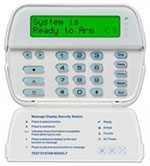
Your keypad may look like this:
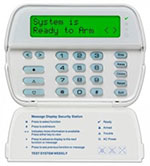
Add an Access Code:
- Press the * button followed by 5
- Enter your system’s master code (If you do not know your system’s master code, contact Bulwark)
- The “Armed” light will illuminate on the keypad, and the “program” or “System Indicator” light will begin to flash.
- Select the 2-digit users code to program (the system has space for 32 users, so for user # 2, enter 0, 2).
- If you have a Full Message LCD Keypad, use the < or > keys to scroll to the user you wish to program and press *
- Using the number keys, enter the four-digit Access Code (ie: 1, 2, 3, 4).
- When programming is complete, you can enter another 2-digit code to program another code, or Press # to exit. You’re done!
Remove an Access Code:
- Press the * button followed by 5
- Enter your system’s master code (If you do not know your system’s master code, contact Bulwark)
- The “Armed” light will illuminate on the keypad, and the “program” or “System Indicator” light will begin to flash.
- Select the 2-digit users code to program (the system has space for 32 users, so for user # 2, enter 0, 2).
- If you have a Full Message LCD Keypad, use the < or > keys to scroll to the user you wish to program and press *
- With the user selected press *. This will delete the code.
- Press # to exit Programming You’re done!
Need help with your panel?
If you don't know your master code or the keypad isn't responding as expected, our technicians are available to help.
604-210-4600